Mastering ChatGPT Blog Post Writing: A Step-by-Step Guide to SEO Friendly Content
Are you looking to streamline your blog post writing process and create high-quality, SEO-friendly content? Look no further. In this tutorial, you'll learn how to use ChatGPT to write blog posts that engage and inform your audience. From keyword research to publishing, we'll cover the entire process step-by-step. Whether you're a seasoned blogger or just starting out, this guide will show you how to leverage the power of ChatGPT to take your blog to the next level. By the end of this tutorial, you'll have a comprehensive understanding of how to use ChatGPT to write blog posts that drive traffic and boost your online presence.
Step 1: Setting Up ChatGPT for Blog Post Writing with Keyword Research
To get started with using ChatGPT for blog post writing, you'll need to set up an account and understand the basics of how the tool works. Begin by visiting the ChatGPT website and following the sign-up process. Once you're logged in, take some time to familiarize yourself with the interface and explore the various features and settings. For keyword research, you can use tools like Google Keyword Planner or Ahrefs to identify relevant keywords and phrases for your blog post. For example, if you're writing a post about "how to write a blog post with ChatGPT," you might use keywords like "ChatGPT blog post," "AI writing tool," or "content generation with ChatGPT." 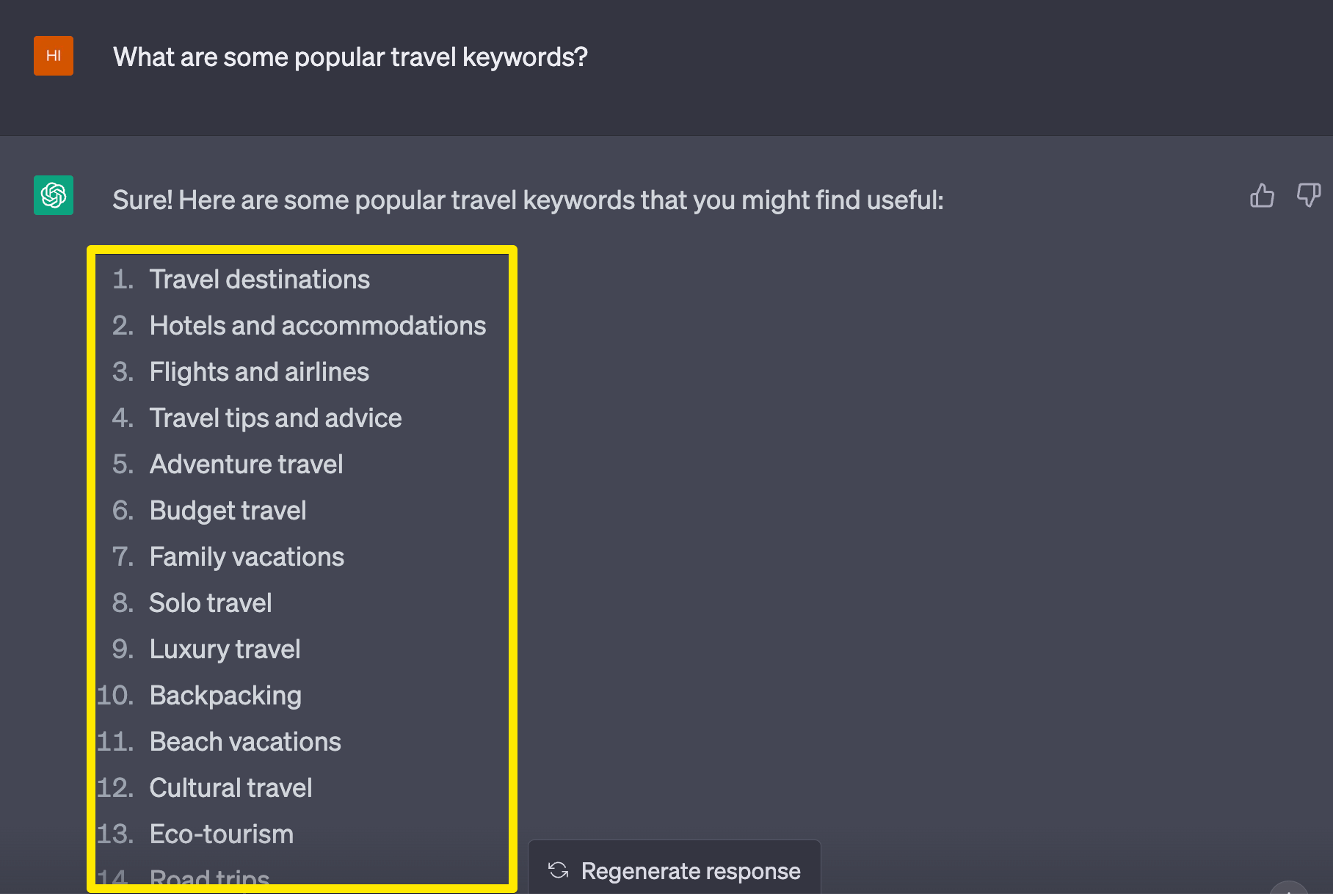
Step 2: Brainstorming Blog Post Ideas with ChatGPT and Zapier
With your keywords in hand, it's time to start brainstorming ideas for your blog post. This is where ChatGPT really shines. Using the tool's prompt-based interface, you can generate a list of potential topics and ideas for your post. Simply type in a prompt like "blog post ideas for [keyword]" and let ChatGPT do the rest. You can also use Zapier to automate the process of generating blog post ideas with ChatGPT. For example, you might set up a Zap that sends a prompt to ChatGPT every week, generating a new list of ideas for you to consider. 
Step 3: Outlining Your Blog Post with ChatGPT
Once you have a list of potential topics, it's time to start outlining your blog post. This is an important step, as it will help you organize your thoughts and ensure that your post flows logically. Using ChatGPT, you can generate an outline for your post by typing in a prompt like "outline for blog post on [topic]." ChatGPT will then provide you with a suggested outline, including headings, subheadings, and bullet points. You can also use ChatGPT to generate a table of contents for your post, making it easier to navigate and more user-friendly. For example, if you're writing a post about "how to use ChatGPT for blog post writing," your outline might include sections on "getting started with ChatGPT," "brainstorming ideas with ChatGPT," and "optimizing your post for SEO with ChatGPT."
Step 4: Writing Your Blog Post with ChatGPT
With your outline in hand, it's time to start writing your blog post. This is where ChatGPT really comes into its own. Using the tool's content generation features, you can write an entire post from scratch, or use ChatGPT to help you with specific sections or paragraphs. Simply type in a prompt like "write a blog post on [topic]" and let ChatGPT do the rest. You can also use ChatGPT to generate meta descriptions, headings, and other optimization elements for your post. For example, if you're writing a post about "the benefits of using ChatGPT for blog post writing," ChatGPT might generate a paragraph like "Using ChatGPT for blog post writing can save you time and effort, while also helping you to create high-quality, engaging content. With ChatGPT, you can generate ideas, outlines, and even entire posts, all with just a few clicks."
Step 5: Optimizing Your Blog Post for SEO with ChatGPT
Once you've written your blog post, it's time to optimize it for SEO. This is a critical step, as it will help your post rank higher in search engine results and drive more traffic to your site. Using ChatGPT, you can optimize your post for SEO by generating meta tags, header tags, and other optimization elements. For example, you might use ChatGPT to generate a meta description for your post, or to optimize your headings and subheadings for better search engine visibility. You can also use ChatGPT to generate internal and external links for your post, helping to improve your site's overall authority and ranking. For example, if you're writing a post about "how to use ChatGPT for blog post writing," you might link to other relevant resources on your site, such as "10 tips for getting the most out of ChatGPT" or "the ultimate guide to ChatGPT for beginners."
Step 6: Publishing and Promoting Your Blog Post with ChatGPT
Finally, it's time to publish and promote your blog post. Using ChatGPT, you can generate social media posts, email marketing campaigns, and other promotional materials to help get the word out about your post. For example, you might use ChatGPT to generate a tweet like "New blog post: How to use ChatGPT for blog post writing! Learn how to streamline your content creation process and take your blog to the next level. #ChatGPT #blogpostwriting #contentcreation" You can also use ChatGPT to generate a newsletter or email marketing campaign, helping you to reach a wider audience and drive more traffic to your site.
Frequently Asked Questions
Q: Is ChatGPT easy to use for blog post writing? A: Yes, ChatGPT is designed to be user-friendly and accessible, even for those with limited technical expertise. With its intuitive interface and prompts-based system, you can start generating high-quality content right away.
Q: Can I use ChatGPT for other types of content creation? A: Yes, ChatGPT can be used for a wide range of content creation tasks, from social media posts and email marketing campaigns to ebooks and whitepapers. The tool is highly versatile and can help you generate high-quality content in a variety of formats.
Q: How do I get started with using ChatGPT for blog post writing? A: To get started with using ChatGPT for blog post writing, simply visit the ChatGPT website and sign up for an account. From there, you can start exploring the tool's features and using it to generate ideas, outlines, and entire posts for your blog.
How To Use ChatGPT To Write Blog Posts (SEO Friendly)
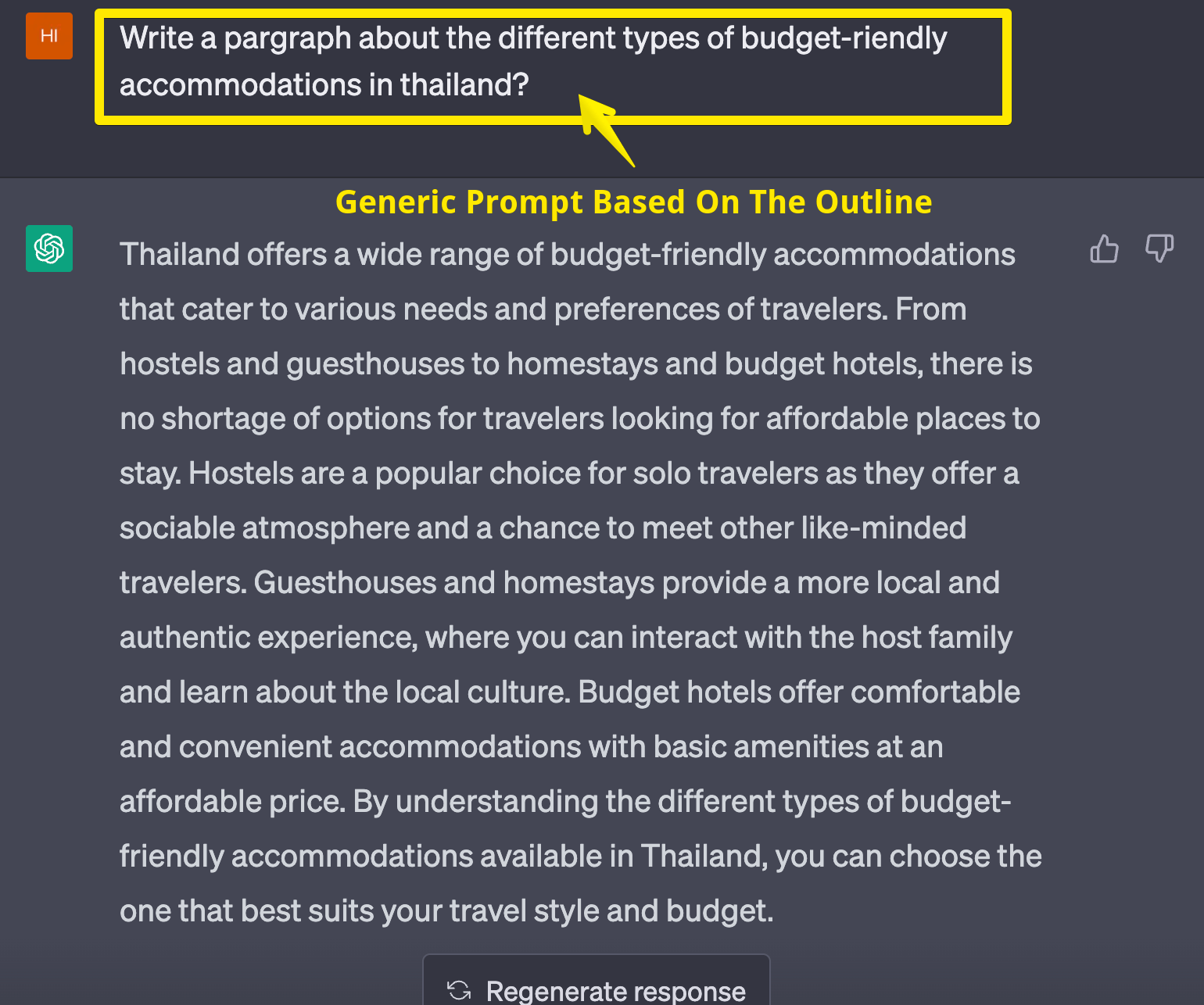
How to use ChatGPT To Write Blog Posts (SEO Friendly)
How To Automatically Write Blog Posts With ChatGPT And Zapier

How to automatically write blog posts with ChatGPT and Zapier
How To Use ChatGPT To Write Blog Posts That Rank #1 On Google [Step-by
.png?width=1286&height=882&name=Screenshot-2023-08-07-at-10.36.56-AM-(1).png)
How to Use ChatGPT to Write Blog Posts That Rank #1 On Google [Step-by ...
How To Write A Blog With ChatGPT: A Step-by-step Guide

How to write a blog with ChatGPT: a step-by-step guide